For accountants: all your clients’ receipts in one place
Your clients send invoices and receipts by photo or email. You get the extracted data, summaries and exports — instead of re-keying receipts from a carrier bag.
No more carrier bags of receipts
Clients snap a photo of a receipt or forward an invoice to their private address. You see the document in your panel as it arrives, instead of a bag of faded slips in January.
The data is read for you
Supplier, date, net, VAT and gross amounts, currency and invoice number are extracted automatically. You review the data and approve a document or send it back to the client for correction, instead of keying in every line.
Every client in one panel
Your client list, their invoices, summaries and VAT in one place. PDF reports and bulk export across all clients, ready for the accounting software you already use.
Questions to the client in the panel
Message a client in the panel and they get an email that a message is waiting. Send a document back for correction with a note on what to fix, and the client sees it next to the invoice. Fewer emails asking “what was this receipt from 12 March?”.
Duplicates caught before they reach the return
The same invoice sent twice — once as a photo, once by email — is recognised as a duplicate. The client has a bin with 30-day restore and an archive, so they keep their documents tidy as they go, rather than you in one long evening in January.
Client data stays under the client’s control
A client can always see which practice has access to their documents and switch it off. You work on data the client chose to share with you, which makes the GDPR conversation about who is responsible for what much simpler.
Pro seat packages for your clients
Buy seats in bulk and decide in your panel which client gets the Pro plan (250 documents a month). The client pays nothing. The more seats, the less each costs; add or remove seats at any time.
5 seats
£49 / month
£9.80 per client
15 seats
£118.95 / month
£7.93 per client
30 seats
£198.90 / month
£6.63 per client
60 seats
£349.20 / month
£5.82 per client
Yearly, you pay for 10 months.
How the data gets into your program
On three sample receipts: this is the file you download. The columns and figures come from the same code as the real export.
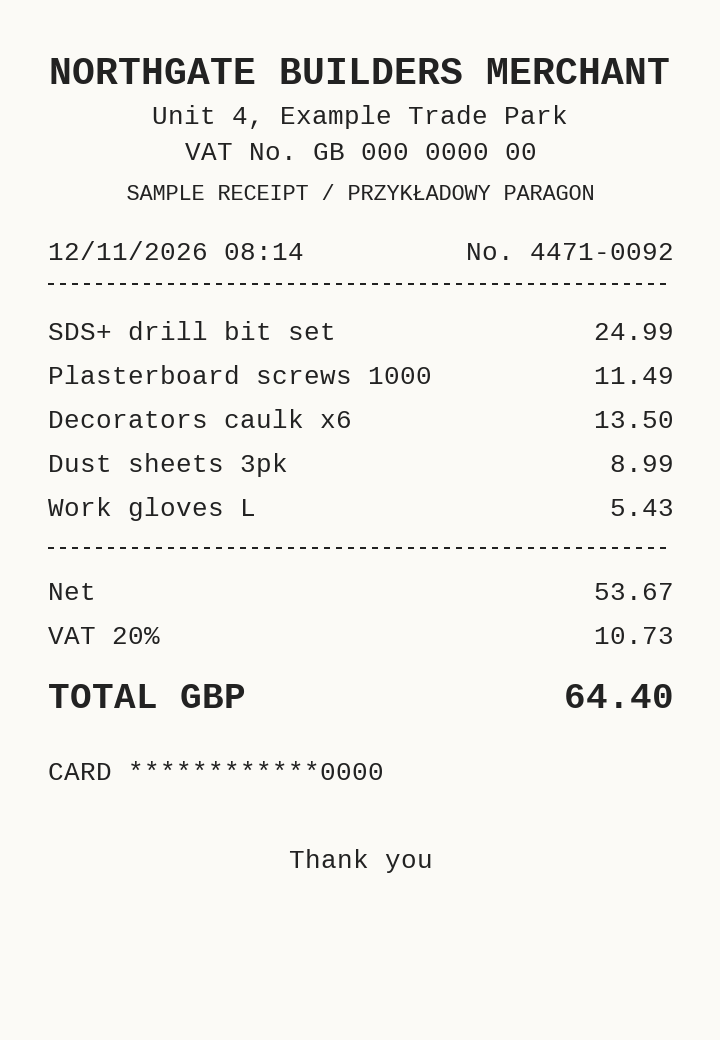
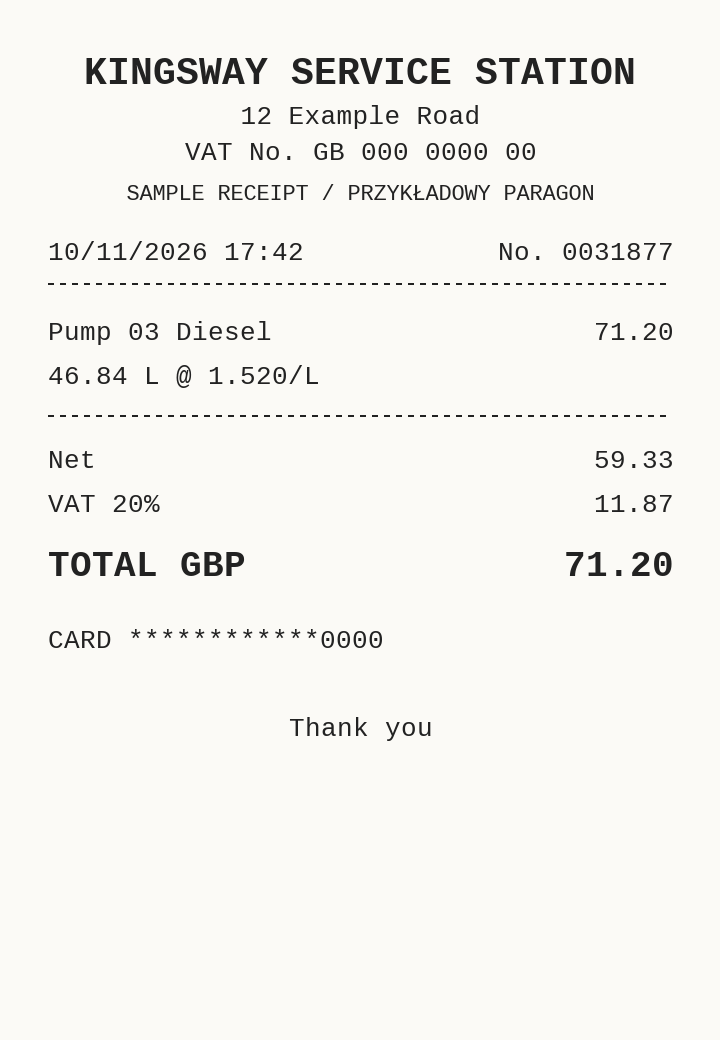
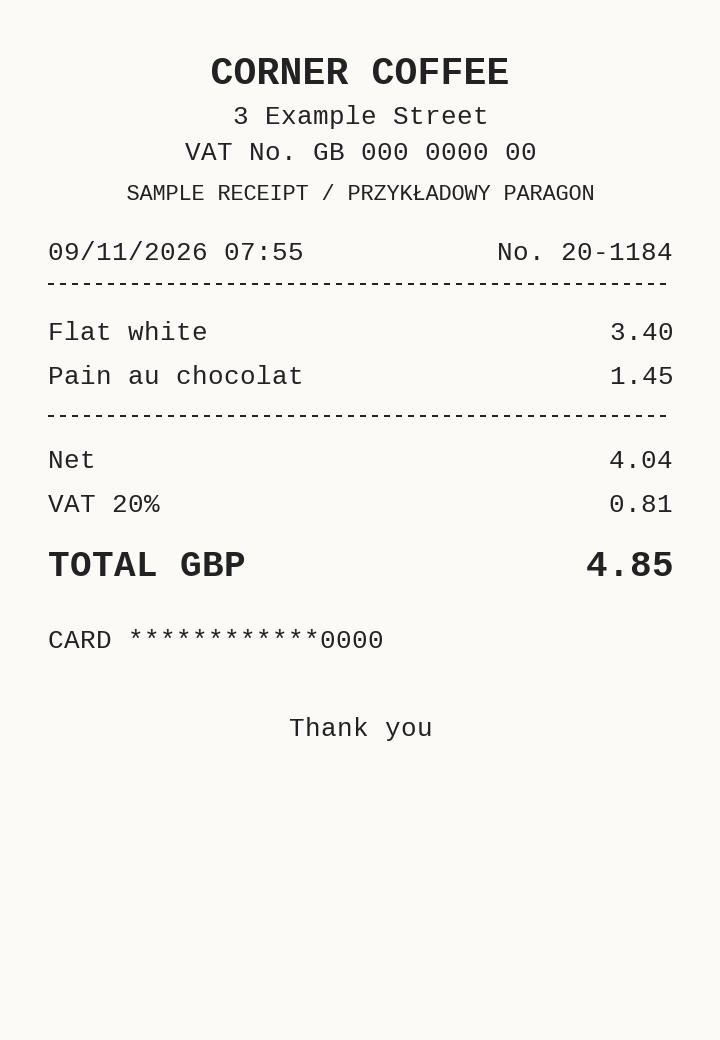
Works now: you download it from each client's window.
- 1Open the client: above their documents choose the period, Excel or CSV, and click "↓ Export".
- 2The file has 26 columns: document, supplier, category, SA103 box, Sage code, net / VAT / gross and the pounds conversion.
- 3All clients at once: "Bulk export (all clients)" above the client list.
| Date | Vendor | Category | SA103 Box | Sage Code | Net | VAT Amount | Total |
|---|---|---|---|---|---|---|---|
| 2026-11-12 | Northgate Builders Merchant | Materials & Tools | 17 | 5000 | 53.67 | 10.73 | 64.4 |
| 2026-11-10 | Kingsway Service Station | Travel & Transport | 20 | 7400 | 59.33 | 11.87 | 71.2 |
| 2026-11-09 | Corner Coffee | 4.04 | 0.81 | 4.85 |
…and 18 more columns in the file.
How it works
Open a practice account
Sign-up takes a few minutes and gives you your own partner code.
Invite your clients
A client signs up with your code and turns on data sharing with your practice. Without their consent you see nothing.
Work from ready data
Invoices and receipts arrive as they happen. At year end you export the full set in one click.
Questions from practices
Does the client have to consent?
Yes. The client connects their account to your practice and turns sharing on. They can switch it off at any time, and your access to their documents ends.
How does the practice earn?
Commission is paid on referred, paying clients, on the terms shown in your partner dashboard and in the partner agreement.
Does it replace my accounting software?
No. It is the collection and extraction layer. You export the data into the tool you already use.
Can my Polish-speaking clients use it?
Yes. The same service runs in Polish as Faktury.co.uk, and your partner panel works in English and Polish.
Guides you can send your clients
- How long to keep receipts and invoices in the UK
- Are photos of receipts valid for HMRC?
- SA103 expense categories explained
Open a practice accountAlready have a practice account? Sign in to the firm panel